Studio
 Audio Toolkit
 Player
 Classic
New in Karaoke Builder Studio 5.0
This version of Karaoke Builder Studio is our biggest update ever. It's so big that we jumped straight from version 3.0 to version 5.0! Here's what we've added to make the best karaoke software in the world even better.
New Look
We've given everything in Karaoke Builder Studio a makeover - a fresh new look, where buttons are bigger and more colourful, and all controls are much easier to see and use.
What we've tried to avoid is moving things around too much. If you're familiar with the 'old' Karaoke Builder Studio, you should be able to find almost everything where it was before. Some things are new, and there are countless updates and improvements, but nothing is very far from where you remember it.
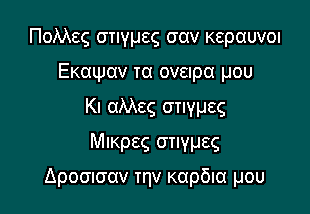
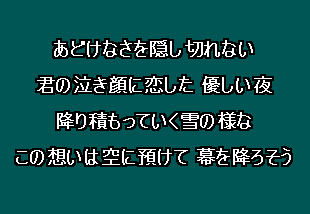
Unicode supportKaraoke Builder Studio now provides full support for all Unicode left-to-right (LTR) scripts, characters, fonts and languages. If the lyrics of your song can be written in a left-to-right script, you can create a karaoke track in Karaoke Builder Studio. Click to view sample screens: |
|


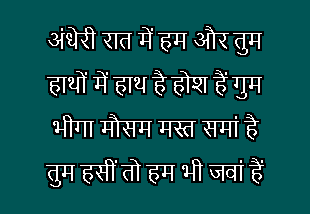
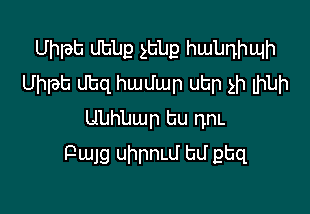
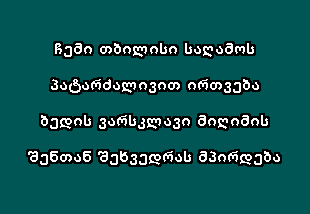
Right-to-left (RTL) scripts are not supported by Karaoke Builder Studio. This includes Arabic and Hebrew, among others. Supporting RTL scripts would require more fundamental technical changes to the software than we are able to provide at present.
Windows XP support?Although Karaoke Builder Studio can be used to create Unicode tracks in Windows XP, you may need to install the required language packs necessary to support some Unicode scripts. From a standard XP setup we were able to create Russian and Greek tracks, but Chinese and Japanese were not installed by default. Windows 7, 8 and 10 have no such limitations - please consider upgrading to a newer version of Windows if you need full Unicode support.
Information LinksPlease use these links to find out more about Unicode scripts, fonts, alphabets and languages:
Build Options and File Conversion Tools
- In Version 5.0 you no longer have to create a track and then convert it to a different format. You can still create CDG and BIN files (as before), but now you can also build your project directly to ZIP (compressed MP3+G) and Video formats. The Build Options screen gives you much more control over the Build process, but you can still keep it simple and build your track without these extra options if you prefer.
- The File Conversion Tools window has been completely revamped and expanded. Use any input for graphics, with any input for audio, and create any type of output file. Need to merge the graphics from a BIN file with the audio from a ZIP file, and create a Video track? You can, easily. Extract an MP3 audio file from a BIN track? Just as easy.
- Slideshows can now be added to any track you Build or Convert, allowing you to add your own custom images to any track.
Other Changes
- Improved Edit Screen, with controls closer to the lines you are editing, for speed and ease of use.
- Snap controls allow easier fine tuning of your track on the Lyrics Wiping and Display/Remove tabs.
- Jump option - as you select pages or lines, the audio track jumps around with you, allowing you to edit and listen more easily.
- Improved Studio Settings for controlling Karaoke Builder Studio's audio device, default page effects, and MP3 settings.
- Default Template lets you customise how your project looks whenever you create a new one.